Alt Text Studio · Documentation
How to save alt text as a plain .txt file
Download a .txt of just the alt text for a single image.
1
Open the detail page
Click any My Library row to open its detail page (/my-library/{id}).
2
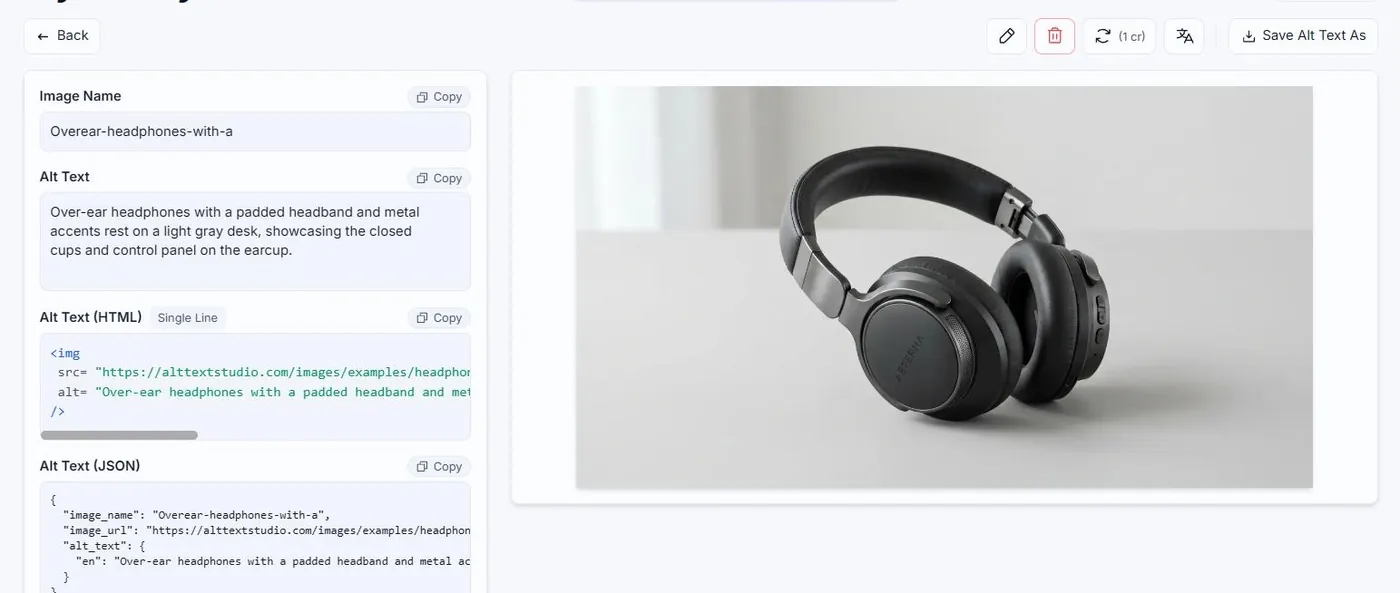
Download as Plain Text
Click the Save Alt Text As button (top-right of the result area) and pick .txt | Plain Text. A file downloads immediately.

3
What's in the file
Just the alt text content for the currently-selected language. No metadata, no formatting. Useful when handing off a single description.
Related guides
- How to save alt text as an .html file— Download an HTML snippet ready to drop into a page or email.
- How to save alt text as a .json file— Download a structured JSON object, useful for scripts and pipelines.
- How to export your library to plain text— Bulk-export the alt text content as a .txt file.