Alt Text Studio · Documentation
How to export your library to HTML
Bulk-export to an HTML document with proper <img> tags.
Need to swap alt text into a static site or email digest? HTML export gives you a clean document of <img> tags ready to paste in.
Open Export As → HTML
On My Library, click Export As at the top right → pick HTML.
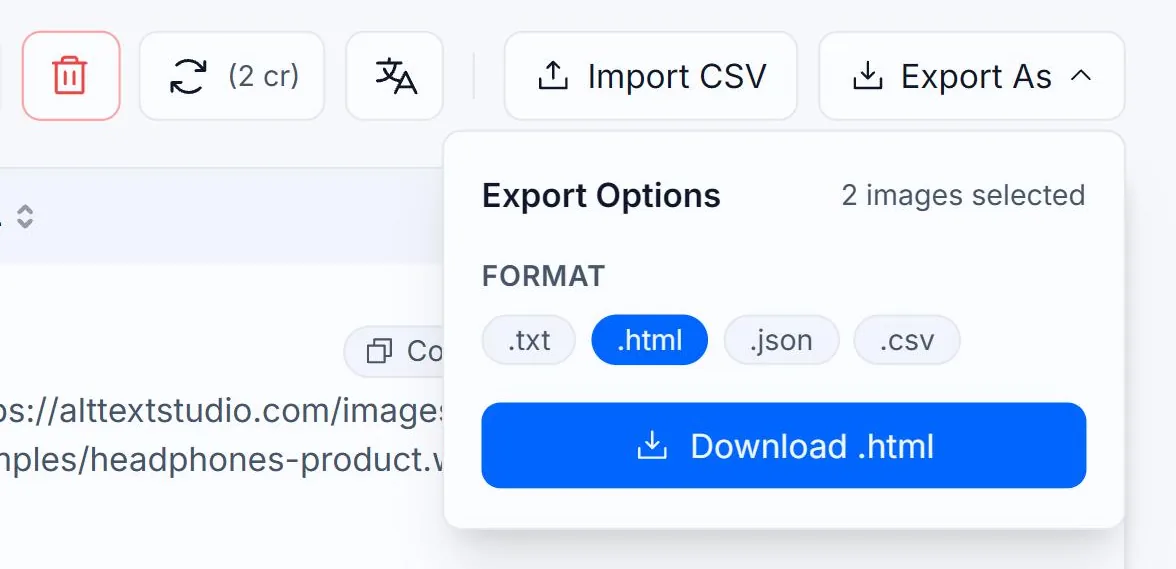
Select the rows you want to export
Same as CSV: tick rows individually, or use the header checkbox to select every row matching your current search and filters. The HTML output keeps the order from the table view.
What you get
A single .html file: a minimal HTML5 document with one <img> tag per image inside the <body>. If you set an image name, it appears as an HTML comment (<!-- name (Language) -->) above the tag for easy scanning.
<!DOCTYPE html>
<html lang="en">
<head>
  <meta charset="UTF-8" />
  <title>Alt Text Studio Export</title>
</head>
<body>
  <!-- headphones-product (English) -->
  <img src="https://alttextstudio.com/images/examples/headphones-product.webp" alt="Black over-ear wireless headphones on a wooden desk" />

  <!-- headphones-product (Spanish) -->
  <img src="https://alttextstudio.com/images/examples/headphones-product.webp" alt="Auriculares inalámbricos negros sobre un escritorio de madera" lang="es" />
</body>
</html><img> tag with a lang attribute. English tags have no lang attribute since the document's <html lang="en"> already sets it.Large exports arrive by email
If you have more than 500 items selected, the export panel switches to email mode: the action button becomes Email File and a Send export to input pre-fills with your account email (you can change it). The .html file arrives as an attachment from no-reply@alttextstudio.com (check spam if it doesn't show up). Rate limit: 5 export emails per 10 minutes.
Related guides
- How to export your library to CSV— Bulk-export selected images and chosen columns to a CSV.
- How to save alt text as an .html file— Download an HTML snippet ready to drop into a page or email.
- How to copy alt text as HTML— Get the full <img src="..." alt="..."> tag, ready to paste into your site.