Alt Text Studio for Shopify
Every product image in your store gets accessibility-ready, SEO-optimized alt text, written and saved without ever leaving your Shopify admin.
Built for product catalogs
Everything happens inside your admin. No theme code, no exports, no copy and paste.
Bulk generate your catalog
Scan every product for images missing alt text, then work through the queue in one pass. The scan runs on Shopify's bulk operations API, so catalogs with thousands of products are no problem.
Per-product editor
Open any product to preview each image, generate, regenerate, or type your own wording. Every change saves straight back to the Shopify image.
Product context, automatically
The vendor becomes the brand, the title becomes the product name, and the description becomes page context. Nothing to fill in, and you can override any of it.
Automatic for new images
Turn on auto-generate and any image you add to a product gets alt text in the background, so a new product launch never ships without it.
194 languages
Generate in as many languages as you like. Every one that your store publishes is saved to Shopify as a real translation, so international shoppers hear their own version.
Defaults for the whole store
Text length, custom prompt, SEO and negative keywords, prefix and suffix, brand and colors. Set them once for the shop and override them on any single product.
Three steps to a covered catalog
Install it once, then forget it is there
Install the app
Find Alt Text Studio in the Shopify App Store and click Install. It runs embedded in your admin under Apps, with nothing to add to your theme.
Paste your API key
Create an API key in your Alt Text Studio account and paste it on the app's Connection page. The key is stored encrypted, and you can revoke it any time.
Scan and generate
Run Bulk generate to backfill every image that is missing alt text, then let auto-generate take care of everything you add from then on.
You see it before your shoppers do
Nothing is written to a product without showing up in the editor first, with the image beside it and the credit cost printed on the button.
- Generate or regenerate per image, with the exact credit cost on the button
- Edit by hand and save your own wording whenever you prefer it
- Language pills to choose which language is the main alt text, at no extra credit cost
- Jump to the product in your admin or open it live on your storefront
Alt text
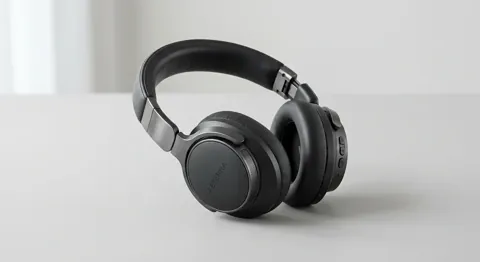
Sleek black over-ear headphones with the brand name "Aeterna" on the ear cup, resting on a light gray surface.
Languages
Try the language pills. Switching the main alt text costs nothing.
Multilingual stores, covered properly
Shopify keeps one alt text per image plus a translation for each language your store publishes. Alt Text Studio writes both, so a shopper browsing in French hears French, and a shopper browsing in Japanese hears Japanese.
Shopify's own Translate & Adapt app does not expose image alt text in its editor, so this is the one place those translations can come from.
One account, billed the Shopify way
Your credits go wherever you do
On your Shopify bill
Subscribe from inside the app and Shopify charges you directly, alongside every other app you pay for. Same plans, same prices, same credits as our website.
Credits work everywhere
The same balance powers the web app, the Chrome extension and the WordPress plugin. Credits roll over and never expire.
Everything in your library
Alt text generated in Shopify is saved to your Alt Text Studio library too, so you can search it, edit it, or export it to CSV, HTML, JSON, or plain text.
Coming soon to the Shopify App Store
Alt Text Studio for Shopify is with Shopify's review team. As soon as it is approved you will be able to install it from your Shopify admin in a couple of clicks.