Alt Text Studio · Documentation
About credits and pricing
How a credit is spent, monthly vs yearly billing, pay-as-you-go.
Credits are the unit of work in Alt Text Studio. For most use cases it costs 1 credit per image: Normal text length × 1 language = 1 credit. The Detailed text length doubles the cost, and each extra language multiplies it further.
How credits are calculated
The formula is Text length multiplier × Number of languages = Credits per image. Normal text length is 1 credit, Detailed is 2 credits. Each extra language multiplies the total. The reference table below shows the most common combinations.
| Text Length | Languages | Total Credits |
|---|---|---|
| Normal | 1 | 1 credit |
| Normal | 2 | 2 credits |
| Normal | 3 | 3 credits |
| Detailed | 1 | 2 credits |
| Detailed | 2 | 4 credits |
| Detailed | 3 | 6 credits |
Try it yourself
Pick a text length and language count to see the cost. The math here is identical to what you see on the Generate button before you spend.
Credit calculator
Text length
1Languages
1Total credits
1Free tier and paid plans
New accounts start with 25 credits to try the product. Paid plans come with monthly credit allotments that renew on your billing date. Yearly billing is discounted versus monthly. See Pricing for current tiers and the Frequently Asked Questions for a fuller breakdown.
If you subscribed through the Shopify app
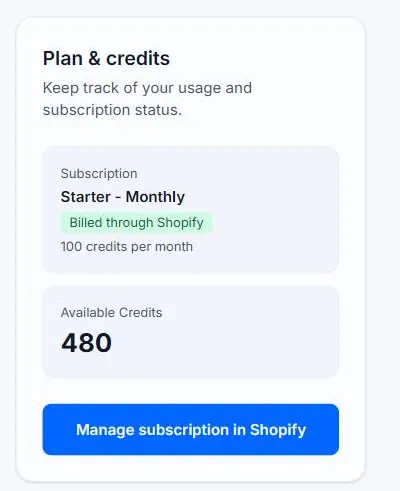
Plans bought from inside the Shopify app are billed by Shopify, not through our checkout, because Shopify requires apps in its App Store to charge that way. The plans, prices, and credit allotments are identical, and the credits land in the same account — so they work in the web app, the Chrome extension, and the WordPress plugin too. Upgrades, downgrades, and cancellation all happen in the Shopify admin. See Billing and credits in the Shopify app.
Unused credits roll over
Credits don't expire at the end of your billing cycle. Any unused balance carries over and stacks on top of next month's allotment, so you never lose what you've paid for.
Pay-as-you-go credits
When you run low, buy a one-time credit pack from the Pricing page. Pay-as-you-go credits never expire and stack on top of your monthly allotment.
Where credits show up
Your remaining balance is in the top-right banner of every page. The Generate button on Create also shows the cost for the current configuration before you spend.
Related guides
- How to upgrade your subscription— Switch to a higher tier through the Pricing page or My Account.
- How to cancel your subscription— Self-service cancellation through the Stripe-powered customer portal.
- Billing and credits in the Shopify app— Why Shopify bills your subscription, which plans are available, and how credits reach your account.
- How to change text length (Normal vs Detailed)— Pick a one-sentence summary or a paragraph-long description.