Alt Text Studio · Documentation
How auto-detect context works
Alt Text Studio inspects filenames and URLs to enrich the prompt, only when they match what the AI sees.
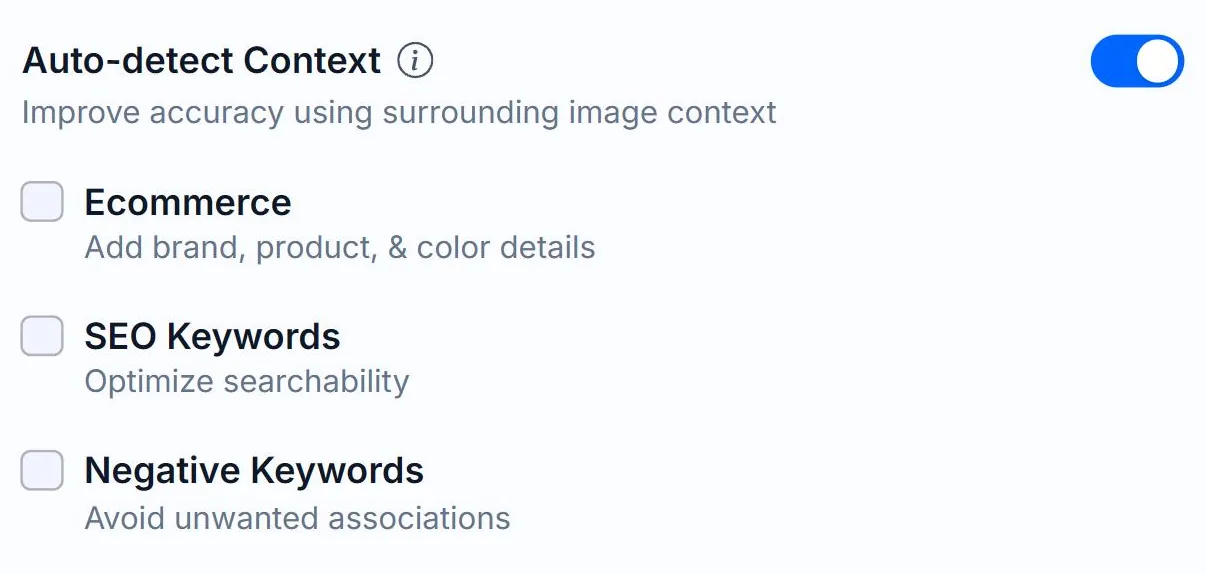
Auto-detect Context is on by default. It pulls hints from your image's filename and URL path, then tells the AI to use those hints only if they match what's actually in the image. The result: better alt text on product photos, less hallucination on stock images.
What it extracts
For uploaded files: it parses the filename, splitting on hyphens and underscores. nike-air-max-running-shoes-blue.jpg becomes hints like nike, air max, running shoes, blue. For URL-linked images: meaningful path segments are pulled (e.g. /products/headphones/sony-wh-1000xm5/ → headphones, sony wh-1000xm5).
What it filters out
Junk filenames like IMG_4823.jpg, screenshot-2025-04-01.png, hashes, UUIDs, and generic words (image, photo, picture) are skipped because they'd only confuse the AI. Web junk paths like /assets/, /uploads/, /wp-content/ are also filtered.
How the AI uses the hints
The hints are appended to the prompt as: *"Additional context from the image source (incorporate into your description only if it matches what you see in the image)"*. The model can ignore them if they conflict with the image, protecting against bad metadata.
Toggling it
Auto-detect Context is a toggle at the top of the Options panel on Create and at the top of the Generation Defaults form. It defaults to ON.
Related guides
- How to change and save Generation Defaults— Set your preferred options once on the My Account page and Alt Text Studio will use them everywhere.
- How to add a custom prompt— Steer tone or context with free-form instructions to the AI.