Alt Text Studio · Documentation
How to export your library to CSV
Bulk-export selected images and chosen columns to a CSV.
CSV is the most flexible export format. Open it in Excel, Google Sheets, or pipe it into a script. You pick which rows and which columns to include.
Open the Export menu in My Library
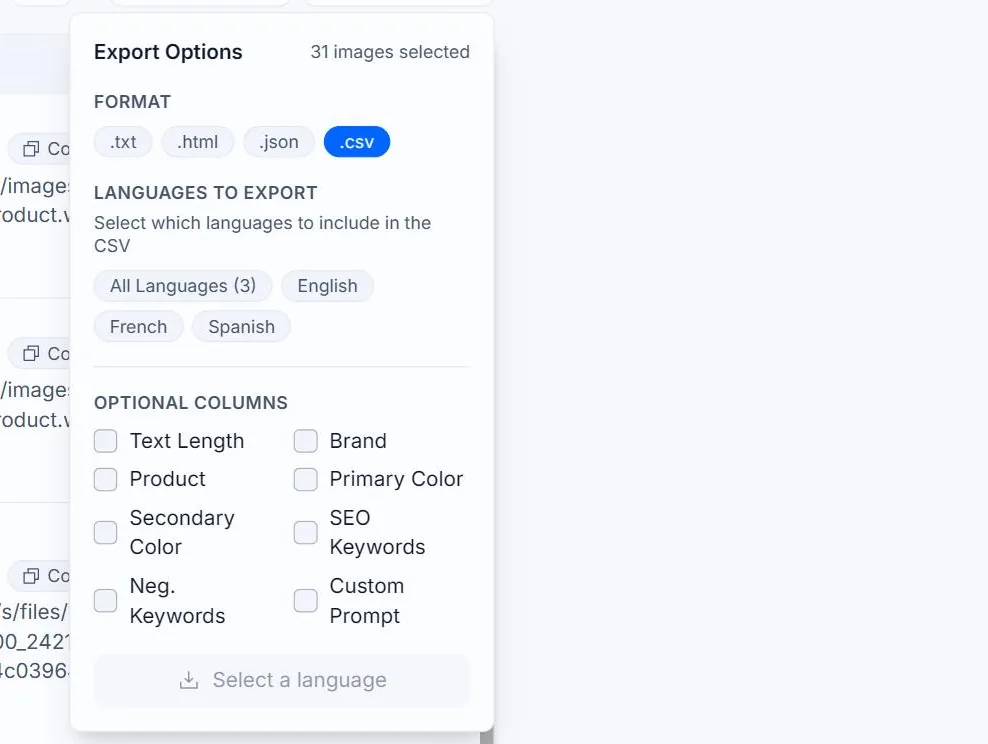
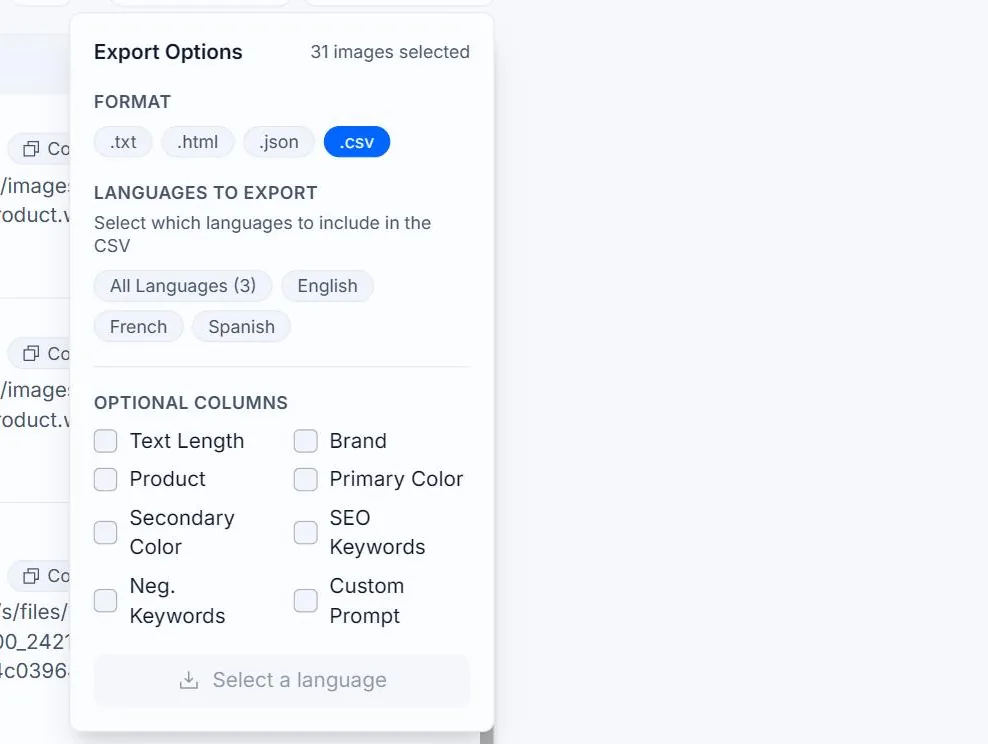
On My Library, click the Export As button at the top right of the table. The panel that opens has a Format row — pick .csv.

Select the rows you want to export
Tick the checkbox on each row you want, or use the header checkbox to select every row matching your current search and filters (selection works across pages, not just the visible page). To export your entire library, clear all filters and search first, then click the header checkbox.

Pick which optional columns to include
Every export always includes:
image_name— your label for the imageimage_url— the source URL (uploads showYOUR_IMAGE_URL_HEREso you can swap in your final hosted URL)source_type—URLorUpload- One
alt_text_xxcolumn per language in your library (alt_text_en,alt_text_es, etc.) created_at— ISO 8601 timestamp
You can opt in to additional columns:
text_length— Normal or Detailedai_model— which model produced the textbrand,product,primary_color,secondary_colorseo_keywords,negative_keywords(multiple values joined with|)custom_prompt
These are the same toggles as the table's Columns menu — ticking a column in the export panel also shows it in the table, and vice versa.
Click Export to download or email
Small exports download immediately as a .csv file. If you have more than 500 items selected, the export panel switches to email mode: the action button becomes Email File and a Send export to input pre-fills with your account email (you can change it). The file arrives as an attachment from no-reply@alttextstudio.com (check spam if it doesn't show up). Rate limit: 5 export emails per 10 minutes.
| image_name | image_url | source_type | alt_text_en | alt_text_es | brand | product | created_at |
|---|---|---|---|---|---|---|---|
| headphones-product | https://alttextstudio.com/images/examples/headphones-product.webp | URL | Black over-ear wireless headphones on a wooden desk | Auriculares inalámbricos negros sobre un escritorio de madera | Sony | WH-1000XM5 | 2026-04-12T18:42:11+00:00 |
| amber-soy-candle | https://alttextstudio.com/images/examples/candle-product.webp | URL | Soy candle in an amber glass jar with a lit wick | Vela de soja en frasco ámbar con mecha encendida | — | — | 2026-04-12T18:43:04+00:00 |
alt_text_en, alt_text_es, etc.). Empty cells appear where a row has no translation for that language.Related guides
- How to export your library to HTML— Bulk-export to an HTML document with proper <img> tags.
- How to export your library to plain text— Bulk-export the alt text content as a .txt file.