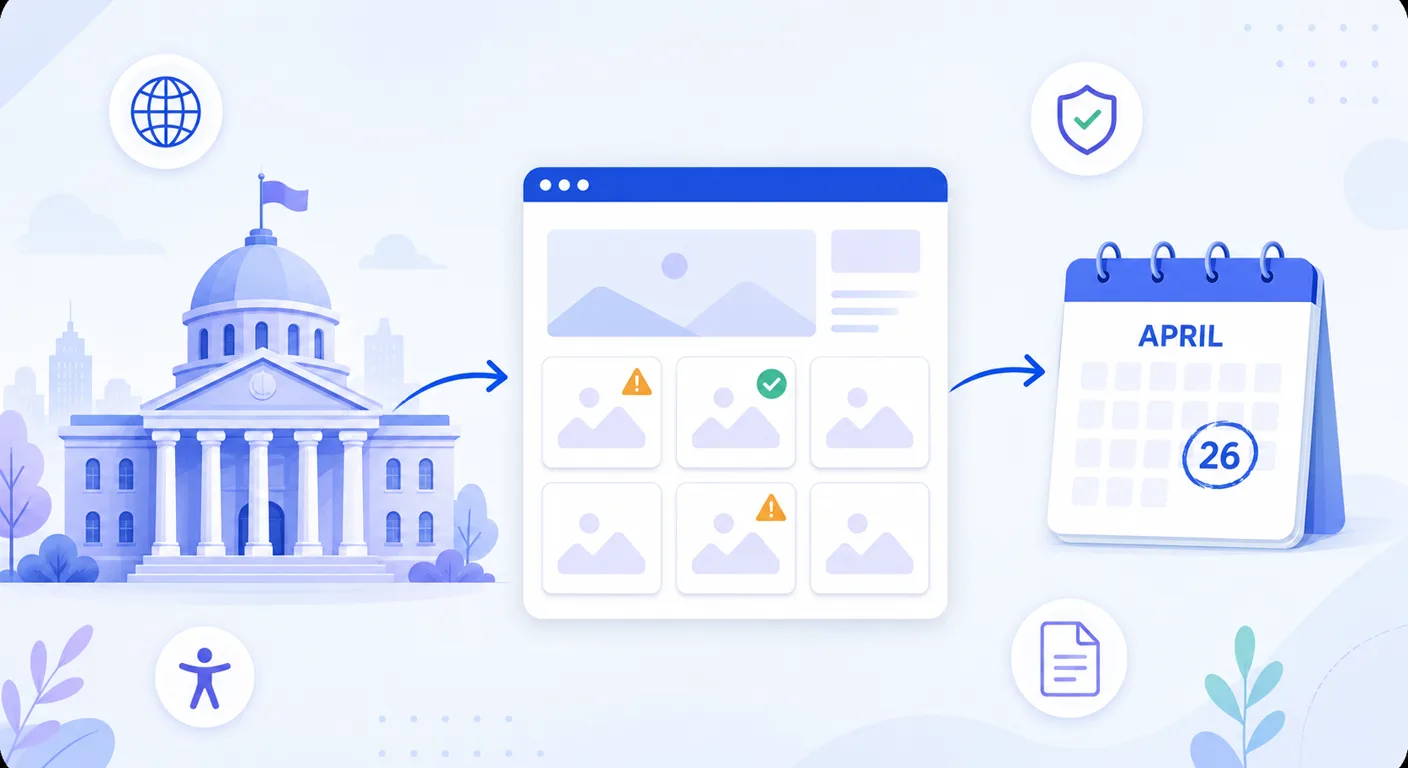
For the first time, federal law names a specific technical standard that state and local government websites have to meet. The Department of Justice's ADA Title II rule requires WCAG 2.1 Level AA, and it applies to essentially every public entity in the United States: cities, counties, states, school districts, courts, police departments, libraries, transit agencies, and special districts (ADA.gov).
In April 2026 the DOJ pushed both compliance dates back by a year. That was a reprieve, not a reversal. The standard did not change, the covered entities did not change, and the new dates are April 26, 2027 and April 26, 2028. This guide covers who is covered, what the rule actually requires, the five exceptions people misread, and how to handle the piece that trips up the most government sites: image alt text.
Summary
The DOJ's ADA Title II web rule requires state and local government web content and mobile apps to conform to WCAG 2.1 Level AA. Public entities serving 50,000 or more people have until April 26, 2027; entities serving fewer than 50,000 people, plus special district governments, have until April 26, 2028 (Federal Register). Image alt text is a WCAG Level A requirement, the lowest bar in the standard, and government sites miss it constantly: one scan of nearly 800 government websites found 28% of images had no alt text. Title II carries a private right of action, so residents can sue for injunctive relief and attorney's fees whether or not any agency ever audits you. Alt text is the fastest, cheapest part of the standard to close, and it is the part that scales worst by hand.
The deadlines, and what changed in April 2026
The DOJ published the Title II web rule in April 2024 with two compliance dates tied to population. On April 20, 2026, six days before the first one landed, the Department issued an interim final rule moving both back by a year (Federal Register).
| Entity | Original date | Current date |
|---|---|---|
| Public entity serving 50,000+ people | April 24, 2026 | April 26, 2027 |
| Public entity serving under 50,000 people | April 26, 2027 | April 26, 2028 |
| Special district governments | April 26, 2027 | April 26, 2028 |
Special district governments get the later date regardless of the population they serve, so a large regional water authority or transit district lands on April 26, 2028 even if it covers a metro area of a million people (UNC School of Government).
Read the DOJ's reasoning carefully
The Department said it "overestimated the capabilities" of covered entities to comply in the original window, citing limited staff and budget and noting that generative AI and similar tools "do not yet reliably automate the remediation of inaccessible content at scale." That is worth sitting with. The extension exists because remediation is slower and more manual than the DOJ expected, which is an argument for starting now, not for waiting. The technical standard did not move an inch.
If you receive HHS funding, you have a separate clock
Public hospitals, county health departments, community health centers, and other recipients of HHS funding are also covered by a Section 504 rule that requires the same WCAG 2.1 AA standard. HHS followed the DOJ in May 2026 and extended its dates as well: recipients with 15 or more employees now have until May 11, 2027, and recipients with fewer than 15 employees have until May 10, 2028 (HHS). A county health department can be covered by both rules, and the earlier date is the one that matters.
Who the rule covers
Title II covers state and local government entities. In practice that is a much longer list than most people assume:
- Cities, towns, villages, counties, and state agencies
- Public school districts, community colleges, and public universities
- Courts, police and sheriff's departments, fire departments
- Public libraries, parks and recreation departments, public transit agencies
- Special purpose districts: water, sewer, utility, hospital, fire protection, drainage
- Amtrak and commuter authorities
- Contractors and vendors delivering services on a public entity's behalf
That last one is the one that surprises people. If a third party runs your permitting portal, your utility billing, your agenda management, or your job applications, the accessibility obligation still belongs to the public entity. The National League of Cities specifically recommends reviewing vendor contracts for accessibility obligations and updating procurement policies to require compliance going forward (NLC). If a vendor cannot tell you their WCAG conformance status, that is your problem before it is theirs.
How the 50,000 threshold works
The tier is based on the population the entity serves, not its budget or staff count. A city of 62,000 is on the 2027 date. A town of 9,000 is on the 2028 date. A county school district serving a population over 50,000 is on the 2027 date even if it has one part-time web person. If you are near the line, use the most recent Census figures and assume the earlier date, because being wrong in that direction costs you a year of runway you do not get back.
What WCAG 2.1 AA actually requires
WCAG 2.1 Level AA is a published set of success criteria from the World Wide Web Consortium. Level AA includes everything in Level A. The rule applies it to web content and mobile apps, which the DOJ defines broadly: text, images, audio, video, and documents (ADA.gov).
For most government sites, the work concentrates in a handful of areas:
Text alternatives for images (1.1.1)
Level A Every image that carries information needs a text alternative that conveys the same information. Every purely decorative image needs an empty alt="" so screen readers skip it. This is Success Criterion 1.1.1, the very first content requirement in the standard, at the lowest conformance level. Failing it means you do not meet even Level A.
Captions and audio description (1.2.x)
Level A/AACouncil meeting recordings, public hearings, training videos, and PSAs all need captions. Prerecorded video also needs audio description at Level AA. For most cities this is the single largest recurring cost in the whole rule.
Contrast, resize, and reflow (1.4.x)
Level AABody text needs a 4.5:1 contrast ratio against its background, and large text needs 3:1. Content has to reflow at 400% zoom without horizontal scrolling. These are theme-level fixes, which means they are usually cheap once and then done.
Keyboard operability (2.1.x)
Level AEvery menu, form, map, and modal has to work without a mouse, with no keyboard traps. Interactive maps, GIS viewers, and embedded third-party widgets are the usual offenders on government sites.
Labels, names, and structure (1.3.1, 2.4.x, 4.1.2)
Level A/AAForm fields need programmatic labels, links need meaningful text, headings need real heading markup, and custom controls need accessible names. Permit applications, records requests, and payment forms are where this matters most.
Documents count. A PDF of the budget, a Word agenda packet, an Excel salary schedule, and a PowerPoint from a public meeting are all web content once you post them. So are your social media posts and any third-party dashboard you embed (NLC).
The five exceptions, and what they do not cover
The rule includes five narrow exceptions (ADA.gov). They are narrower than they sound, and misreading them is how agencies end up thinking they are 80% done when they are 20% done.
Archived web content
Content kept only for reference, research, or recordkeeping, stored in an area clearly identified as archived, and unchanged since it was archived. If you still link to it from a live navigation menu because people use it, it is not archived.
Preexisting conventional electronic documents
PDFs, Word, Excel, and PowerPoint files posted before your compliance date. Anything you post on or after that date has to be accessible, and if a resident with a disability needs an old document, you still owe them an accessible version on request under the ADA's general obligations.
Third-party content you did not post
Public comments on your Facebook page, resident-uploaded photos, forum posts. This does not cover content posted by a vendor under contract with you, which is treated as yours.
Individualized, password-protected documents
A specific resident's utility bill or a specific student's transcript behind a login. The portal itself is not exempt, only the individualized documents inside it.
Preexisting social media posts
Posts published before your compliance date. Every post after it needs image descriptions and captions, which means your communications team needs a workflow, not a cleanup project.
There is no exception for images
Notice what is not on that list. Every image on a live page, in a document you post going forward, in a social post you publish going forward, or in a mobile app, needs a text alternative. There is no small-site carve-out, no "informational only" exemption, and no threshold below which a missing alt attribute is fine.
Where government sites actually fail
There is good data on this, and it is not flattering. AudioEye's 2025 Digital Accessibility Index scanned roughly 35,000 pages across almost 800 government websites and found an average of 307 accessibility violations per page. More than a quarter of images, 28%, had no alt text at all, and 51% of pages failed keyboard accessibility (Route Fifty).
The broader picture is consistent. The February 2026 WebAIM Million study found detected WCAG failures on 95.9% of home pages, with missing image alt text present on 53.1% of them, second only to low contrast text. Government sites in that sample averaged 42.4 errors per page, which is better than the 56.1 average across all sectors, and still far more than the zero that WCAG 2.1 AA implies.
Why alt text specifically
- Volume. A mid-size city site has thousands of images: department headshots, park photos, event flyers, seals and logos, infographic PDFs, meeting slides, and a decade of news posts.
- Distributed publishing. Parks, police, planning, and the clerk's office all upload images. Almost none of them have accessibility training, and 32% of local government leaders name inadequate training as a significant barrier (CivicPlus/CivicPulse survey).
- Flyers as images. Government sites are full of event flyers, notices, and infographics posted as a single JPG. Section 508 guidance is explicit that text in an image has to be included word for word in the alt text, and a dense flyer does not fit in an alt attribute.
- It is trivially detectable. A free scanner finds every missing alt attribute on your site in seconds. Anyone can run one, including a resident, an advocacy group, or a plaintiff's firm.
The resource picture explains a lot of it. In the same survey, 41% of local government leaders called insufficient staff time a significant barrier to compliance and 35% pointed to a lack of financial resources. Nobody is failing at this on purpose.
Start with a real number
Before you build a plan or ask for a budget, find out how many images on your site are actually missing alt text. Our free audit scans any public page and lists every image that needs attention. It takes about a minute and gives you a figure you can put in front of a council or a department head.
Scan your site's alt text freeHow this gets enforced
There is no federal inspector who shows up on April 27, 2027 with a checklist. Enforcement under Title II works three ways, and the third is the one that should shape your planning.
1. Administrative complaints
Any person can file a complaint with the DOJ or a designated federal agency. Investigations can end in a settlement agreement with a remediation timeline and ongoing reporting obligations.
2. DOJ enforcement actions
The Department can bring its own action against a public entity, and has historically done so against universities, court systems, and municipalities over digital access.
3. Private lawsuits
Title II carries a private right of action. A resident who cannot use your site can sue directly for injunctive relief and attorney's fees. The DOJ named this exposure explicitly in the extension rule as one of the risks facing public entities (Federal Register). Title II does not award damages the way private-sector ADA suits often do, but injunctive relief plus fees still means a consent decree, a court-supervised timeline, and a bill for the other side's lawyers.
For context on how aggressive private accessibility litigation has become in the private sector, roughly 4,600 web accessibility lawsuits were filed in US federal courts in a single year, most of them sourced from automated scans. We covered that landscape in ADA web accessibility lawsuits. Public entities have been comparatively insulated. A named federal deadline changes that calculation.
How to write alt text that meets the standard
The federal government publishes its own guidance on this, and it is the cleanest short reference for public sector staff: Section508.gov on alternative text. The core rule is that alt text has to convey the same information as the image, in the same language as the page, without repeating what the surrounding text already says.
Photos of people and places
Describe the information the image conveys, not its appearance. A headshot on a council page is alt="Councilmember Dana Ruiz", not a description of her jacket. A park photo on a parks page might be alt="Playground and covered picnic shelter at Riverside Park".
Images that contain text
Section 508 guidance says the text in the image goes into the alt text word for word. That is why an event flyer posted as a single JPG is a problem: the date, time, location, and registration link all have to be available as text. The better fix is to put that information on the page as real text and let the flyer image be decorative, or link to an accessible version.
Seals, logos, and wordmarks
Logos are never decorative. Describe the significant symbolism and include any text verbatim: alt="Seal of the City of Springfield". A city seal in the header that also functions as a home link should describe the link destination.
Charts, maps, and budget graphics
Start by naming the type, then give the trend or conclusion, then link to the underlying data: alt="Bar chart of General Fund revenue by source, FY2020 to FY2026. Full data table below." A budget pie chart with no data table is one of the most common Level A failures on a finance department page.
Decorative images
Background flourishes, dividers, and stock imagery that adds nothing get alt="". An empty alt attribute is a correct, deliberate answer. Omitting the attribute entirely is not: screen readers fall back to announcing the file name, which is how a resident ends up hearing "I M G underscore 4 0 3 2 dot J P G".
Four mistakes to strike from your style guide
- Starting with "Image of" or "Photo of". Screen readers already announce that it is an image.
- Stuffing keywords. Alt text helps search, but a description written for a crawler instead of a person fails 1.1.1 and reads badly.
- Duplicating the caption. If the caption already says it, the alt text should not repeat it.
- Leaving the CMS default. Many systems prefill the alt attribute with the file name, which is worse than empty because it looks filled in to an automated scan.
If you want the longer version to hand to department staff, our complete guide to alt text covers the same ground with more examples.
A working timeline back from April 2027
If you are on the 2027 date, you have roughly seven months of real working time left once you account for budget cycles and holidays. Here is a sequence that fits, drawn from what NLC and NCSL describe agencies actually doing (NLC, NCSL).
Inventory your digital assets
Every domain and subdomain, every mobile app, every third-party portal, every social account, and every document library. Most agencies discover two or three sites nobody remembered owning. Name an owner for each one.
Scan and get baseline numbers
Free tools get you far. WAVE and ANDI are both widely used in state legislatures for exactly this. Our free alt text audit gives you the image-specific count. Automated scans catch maybe a third of WCAG issues, so treat the output as a floor, not a verdict.
Triage by traffic and by service
Fix the pages residents actually use first: home, pay a bill, apply for a permit, agendas and minutes, jobs, contact. A perfectly accessible historical photo gallery does not help someone who cannot pay their water bill.
Clear the alt text backlog in one pass
Alt text is the one large category you can genuinely batch. Generate descriptions across the whole media library, review them, publish. This is the highest conformance gain per hour of staff time in the whole project.
Fix theme-level failures
Contrast, focus indicators, heading structure, skip links, and form labels are usually template changes that fix hundreds of pages at once. Get your vendor or web team on these early because they need a release cycle.
Fix the publishing workflow, not just the backlog
This is the part agencies skip and regret. If parks can still upload a flyer with no description, you will be non-compliant again a week after you finish. Build the check into the CMS, into the social media process, and into agenda packet preparation. Train the people who publish, not just IT.
Update procurement and vendor contracts
Require WCAG 2.1 AA conformance and a current accessibility conformance report in every new contract and renewal for anything that touches the public. You are responsible for your vendors' output.
Publish an accessibility statement and a feedback path
Name the standard you are working toward, give a real contact for reporting barriers, and answer those reports. It demonstrates good faith and it surfaces problems automated tools never find.
Two more resources worth bookmarking: the DOJ publishes small-entity compliance guidance and hosts webinars at ada.gov, and MRSC has practical guidance written for local government staff rather than lawyers (MRSC Insight).
Handling alt text at scale
Here is the arithmetic that stalls most of these projects. A mid-size city website with 4,000 images, at two minutes of staff time per description, is roughly 133 hours of writing. That is a month of one full-time person doing nothing else, which is exactly the staff time 41% of local government leaders say they do not have. Contracted alt text writing runs around $2 per image at published agency rates, so the same 4,000 images is about $8,000, and that is before anyone loads the text back into the CMS. We broke those numbers down in alt text writing services.
AI vision models close most of that gap. They produce an accurate first draft for a photo, a headshot, a park scene, or a piece of equipment in seconds, and a staff member reviews rather than writes. The DOJ's own point in the extension rule is worth keeping in view: these tools do not reliably remediate everything at scale on their own. They are not a compliance button. What they are is the difference between 133 hours of writing and a few hours of reviewing.
Clear the alt text backlog with Alt Text Studio
Alt Text Studio generates descriptive alt text for images in bulk, then gets it back where it belongs. The WordPress plugin writes descriptions across an existing media library and on every new upload, which covers a large share of municipal sites. If your site runs on Drupal, Granicus, CivicPlus, or anything else, the web app handles bulk upload and exports to CSV, JSON, HTML, or plain text for import, and the Chrome extension describes images on any page in place. 194 languages, so a bilingual city site gets descriptions in both. You review everything before it publishes.
The first 25 credits are free, no card required. Upload a handful of images from your own site and see how the descriptions read before you commit to anything.
Keep a human in the loop
Some images on a government site need a person. Zoning maps, budget charts, floodplain diagrams, and engineering drawings all need someone who knows what the image is for. Photos where the meaning depends on who is in them need a name, not a description of a person at a podium. Public safety and legal notices should be signed off by staff. For most sites that is a few dozen images out of thousands, and the mistake is letting those few dozen hold up the rest.
Frequently asked questions
When does my government website have to be accessible?
April 26, 2027 if your public entity serves a population of 50,000 or more. April 26, 2028 if it serves fewer than 50,000 people, or if it is a special district government regardless of population. The DOJ extended both dates by one year on April 20, 2026.
What standard does the ADA Title II web rule require?
WCAG 2.1 Level AA. This is the first time the federal government has adopted a specific technical standard for web accessibility, and it applies to web content and mobile apps provided by state and local governments.
Does the rule require alt text on images?
Yes. WCAG Success Criterion 1.1.1 requires a text alternative for all non-text content, and it is a Level A criterion, meaning it is included in Level AA conformance. Informative images need descriptive alt text and decorative images need an empty alt attribute. There is no exception in the rule for images.
Do old PDFs on our site have to be remediated?
Conventional electronic documents such as PDFs, Word, Excel, and PowerPoint files posted before your compliance date fall under an exception. Anything posted on or after that date has to be accessible. The exception also does not remove your general ADA obligation to provide an accessible version to a person with a disability who requests one.
Are our social media posts covered?
Posts your agency publishes on or after your compliance date are covered, which means image descriptions and video captions. Posts published before that date are excepted, and comments or content posted by members of the public are not your responsibility under the rule.
Our website is run by a vendor. Are they responsible?
The legal obligation stays with the public entity. The rule covers contractors providing services on your behalf, so a vendor-run permitting portal or agenda system is treated as your web content. Ask vendors for a current accessibility conformance report and write WCAG 2.1 AA conformance into contracts and renewals.
Can we install an accessibility overlay widget instead?
Overlay widgets do not produce WCAG conformance. They apply changes in the visitor's browser rather than fixing the underlying content, disability rights organizations have publicly opposed them, and sites using overlays have still been named in accessibility litigation. For alt text specifically, an overlay description never reaches your HTML, so it does not help your search visibility either.
Can AI-generated alt text satisfy the requirement?
What satisfies WCAG 1.1.1 is an accurate text alternative, not any particular authoring method. AI-generated descriptions can meet the standard when they are accurate, which is why review matters. The DOJ noted in its extension rule that current tools do not reliably automate remediation at scale on their own, so the practical approach is AI for the first draft and staff review before publishing.
Start with the number you do not have yet
Almost every accessibility project inside a public entity starts the same way: someone asks how big the problem is, and nobody knows. The inventory and the first scan are what turn this from an anxious agenda item into a scoped piece of work with a budget request attached.
Alt text is the piece worth measuring first. It is a Level A requirement, it is missing on roughly a quarter of the images on government sites today, it is trivially detectable by anyone who wants to make an issue of it, and it is the one large category that batches. Get the count, then work the list. You can start describing images in a couple of minutes, and the first 25 are free.
This article is general information about published federal regulations, not legal advice. For how these requirements apply to your specific entity, consult your agency's counsel.